


Article Summary: Involve your IT provider early, confirm internet installation dates before setting the move schedule, and test the new office while the old one is still available. Make a full list of the systems your business depends on, back up important data, label equipment, and allow time to fix problems before employees arrive. An […]

Article Summary: Every employee should use their own account wherever the software allows it. Individual accounts let you control permissions, use MFA properly, remove access when someone leaves, and see who performed each action. If a shared password cannot be avoided, store it in a business password manager, limit who can use it, and change […]

Article Summary: Before selling, donating, or recycling a work computer, keep usable copies of the records you need and arrange secure erasure or destruction of its storage. Include every drive, coordinate account and device-management changes with IT, and keep the equipment secure until the work is complete. Disposal records should show what happened to each […]

Article Summary: To fix slow office Wi-Fi, check whether the problem affects one device, one area, or everyone, then compare Wi-Fi with a wired connection. Poor coverage, radio interference, heavy usage, and device faults need different repairs. The tests help you decide whether to change equipment, settings, or the internet service. When several people complain […]
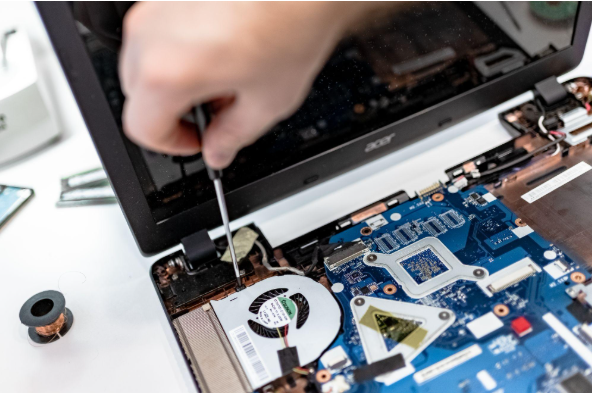
Summary: Three to five years is a practical replacement range for many business computers. The right time depends on security support, reliability, performance, warranty coverage, repair costs, and the employee’s work. Replace any computer that cannot run a supported operating system or the software your business requires. Most business computers do not fail all at […]

Summary: Your IT budget should include the technology you already use, the support required to maintain it, and the upgrades you expect to make during the year. It should also cover cybersecurity, backups, employee changes, planned projects, and a reserve for urgent repairs or replacements. If your IT budget only covers computers, Microsoft 365, and […]

Summary: Guest Wi-Fi should provide internet access while blocking connections to your internal business network. A different Wi-Fi name and password do not confirm that the networks are separated. The router, access points, and firewall must also be configured to prevent guest devices from reaching internal systems. Offering Wi-Fi to customers, contractors, and visitors is […]

Summary: Allow personal devices only for approved work, through approved apps, and when the device meets your security requirements. Use company-owned devices for administration, sensitive work, or jobs that require large amounts of data to be stored locally. Employees often use personal devices for work before the business has made a decision about it. They […]

Summary: Employees should use standard accounts for email, web browsing, and everyday work. Administrator access should be limited to approved IT tasks and protected with a separate account. Administrator access often starts with one request. An employee needs to install a printer, update a specialist program, or change a setting on their computer. Giving them […]

Summary: Most IT problems don’t appear out of nowhere. Backups quietly stop running, updates sit unfinished for weeks, and old staff accounts stay switched on for months. A short check once a month catches these while they’re still cheap to fix. This post covers the six things to look at. Most owners only look at […]